
If you attempt to login into Supplier portal 5 times consecutively using wrong passwords, your account will be locked. This is to prevent malicious logins.
If you attempt to login into locked User accounts, you will get the following error message.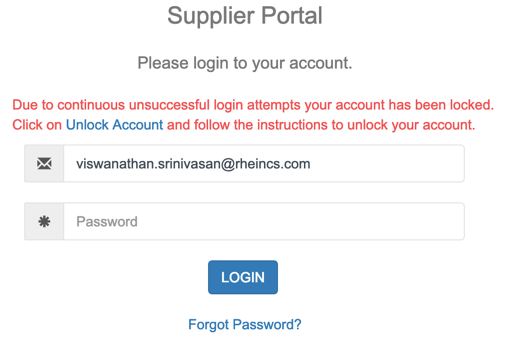 Such locked accounts can be unlocked using the “Unlock Account” hyperlink provided in the message.
- Click on “Unlock Account” hyperlink
- Specify the Email ID of the locked account and click on “Send OTP” button
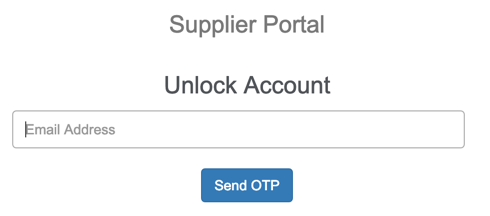
- A One Time Password (OTP) will be sent to the registered Email ID and along with a Unique identifier given in the message. The OTP is valid only for 15 mins.
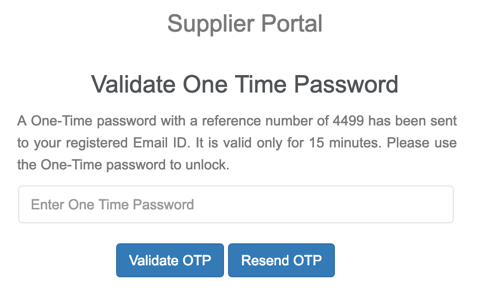
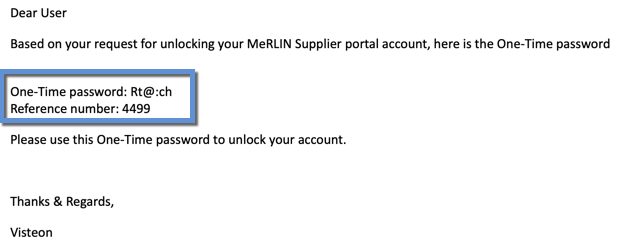
- Once the OTP email is received, copy the OTP and place in the box provided and click on “Validate OTP” button.
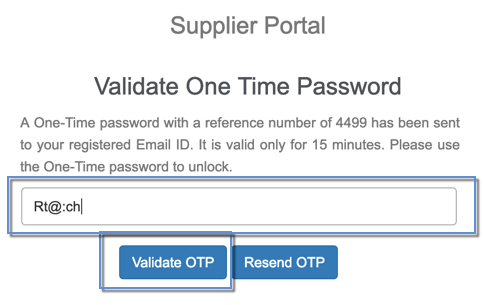
- If the OTP provided is valid, you will be presented with a provision to set a new password.
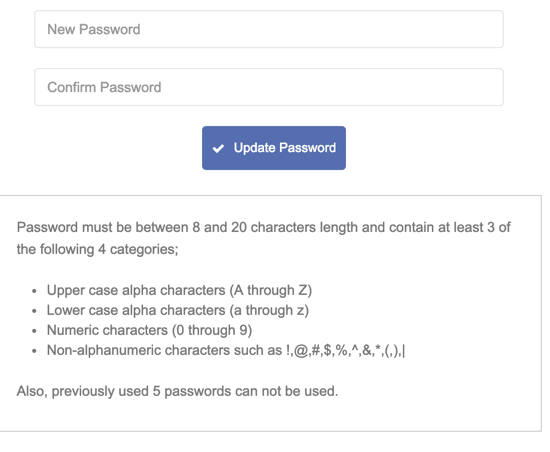
- Specify a new password, confirm the same and click on “Update Password” button. After that you will be taken to the Supplier Portal Login page from which you will be able to login using the new password.