
SoW Tab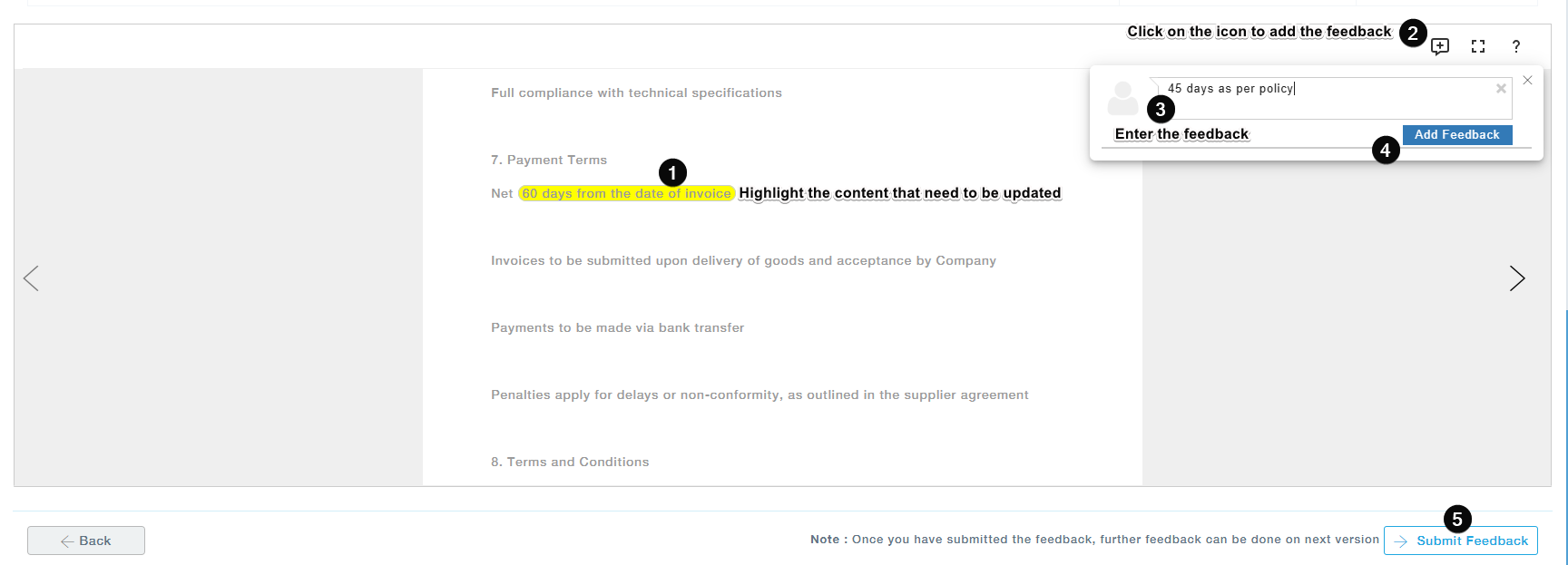
- Identify any phrases or sections that need modification and highlight the relevant text.
- Right-click on the highlighted text and select the “Add Feedback” option, or click the feedback icon located at the top-right corner of the SoW document.
- In the feedback panel that appears, provide a clear and concise description of the suggested change in the text box.
- Click “Add Feedback” to save your input.
- After reviewing and adding feedback for all necessary sections, click “Submit Feedback” to complete the process.
Items Tab
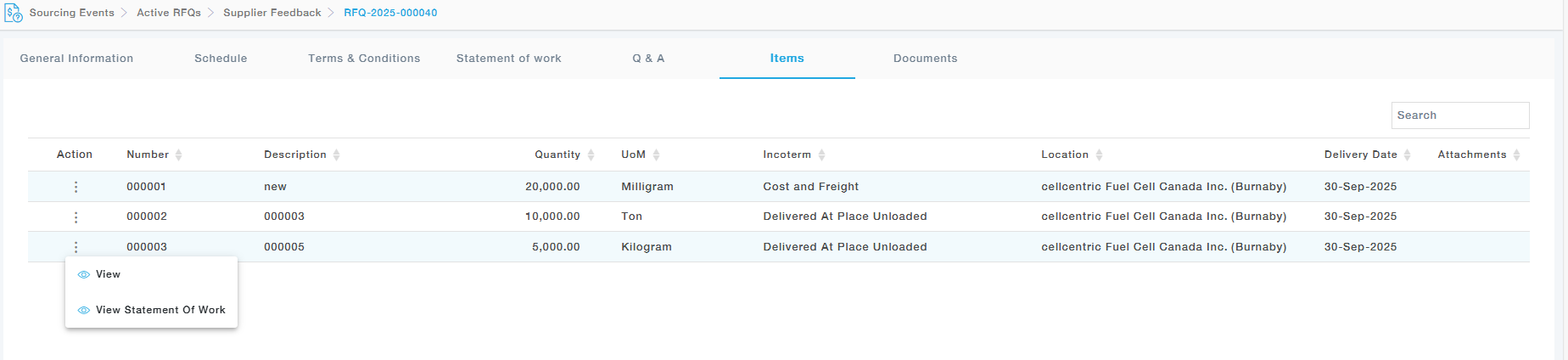
In case if each item has different statement of work linked then the supplier can view the SoWs for each item in the items tab and provide feedback for each item.
After providing the necessary changes click on the “Submit Feedback” button. 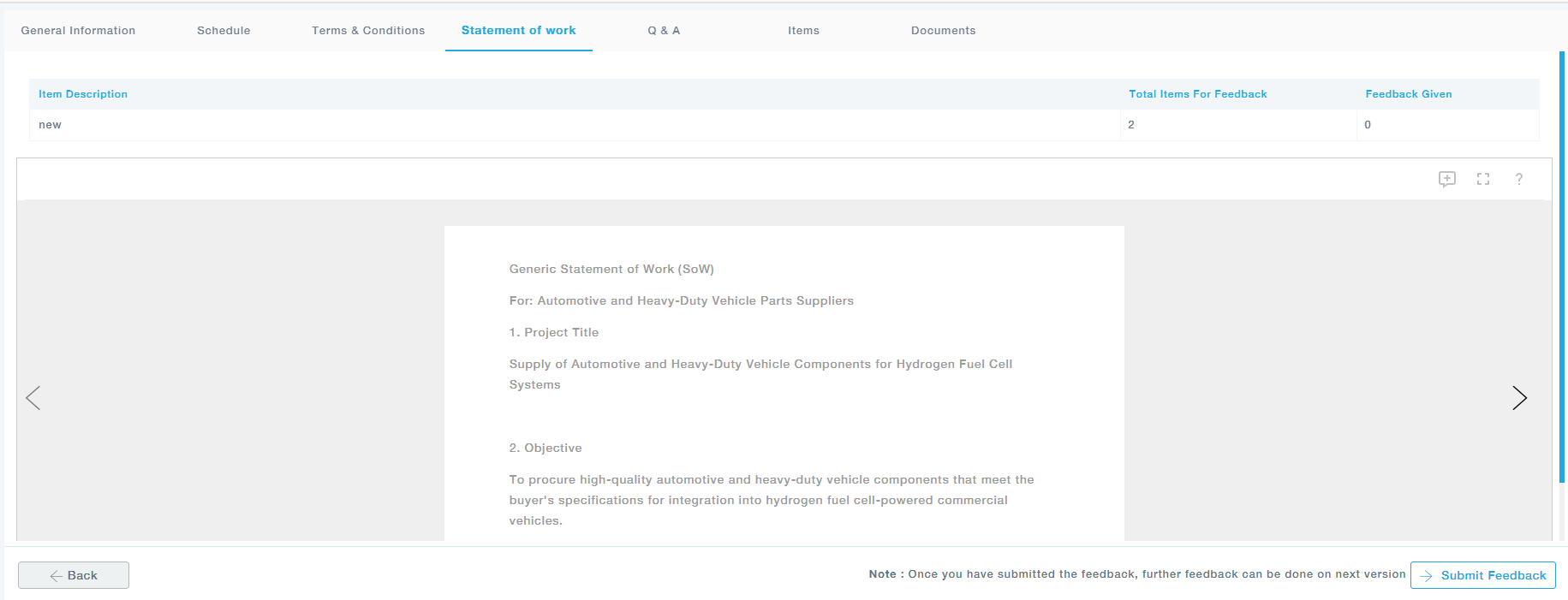
Note: The feedback will be reviewed by the buyer and then finalized with the necessary changes. Once the changes are made, they are reflected in the Supplier Portal. If the supplier requires additional modifications, they can submit further feedback. This iterative process continues until the buyer reviews and finalizes the Statement of Work (SOW).
Once the associated Statement of Work is finalized by the Buyer and the Quote submission window opens, one of the registered Supplier contacts will be able to submit the Quote.
Understanding The RFQ Structure
It is important to understand how the RFQ is organized in MeRLIN and presented to Suppliers before proceeding with the Quote submission. The RFQ information is organized into several logical sections to make navigation and response easier:
General Notes on RFQ and Quote Fields:
Any field / information mandated by the Buyer as part of the Quote is marked by a red asterisk icon at the right side of its labels.

Any field / information where an input can be provided by the Supplier is with white background.

Any field / information those for read-only purpose is greyed out.

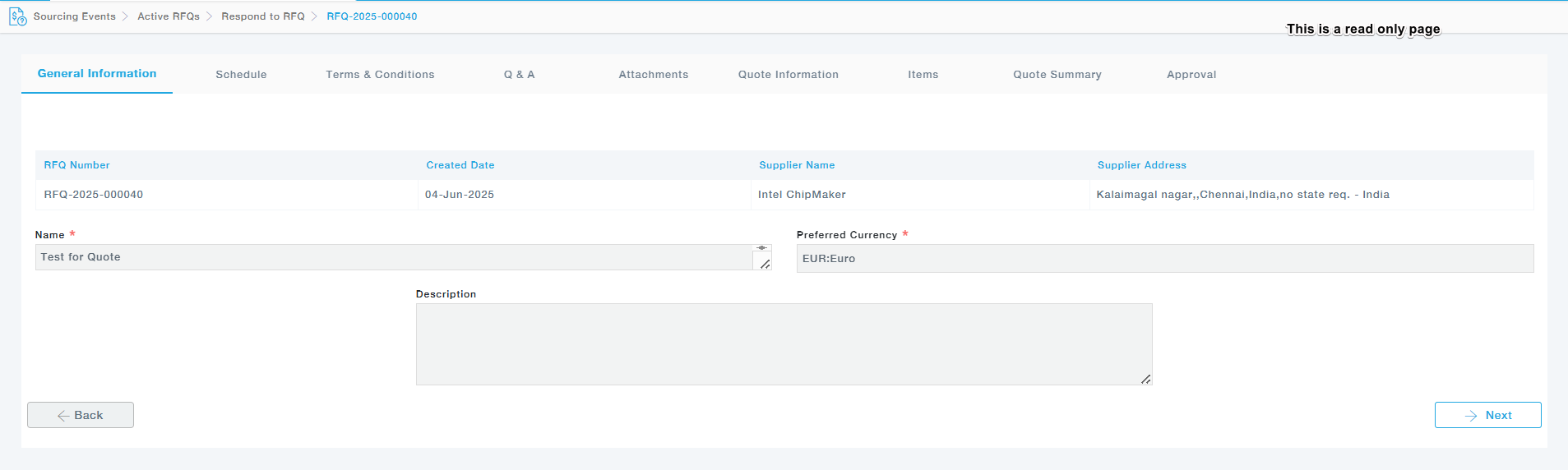
General Information – Provides an overview of the RFQ, including basic details and identifiers.
Schedule – Displays the timeline and deadlines for all RFQ-related activities.

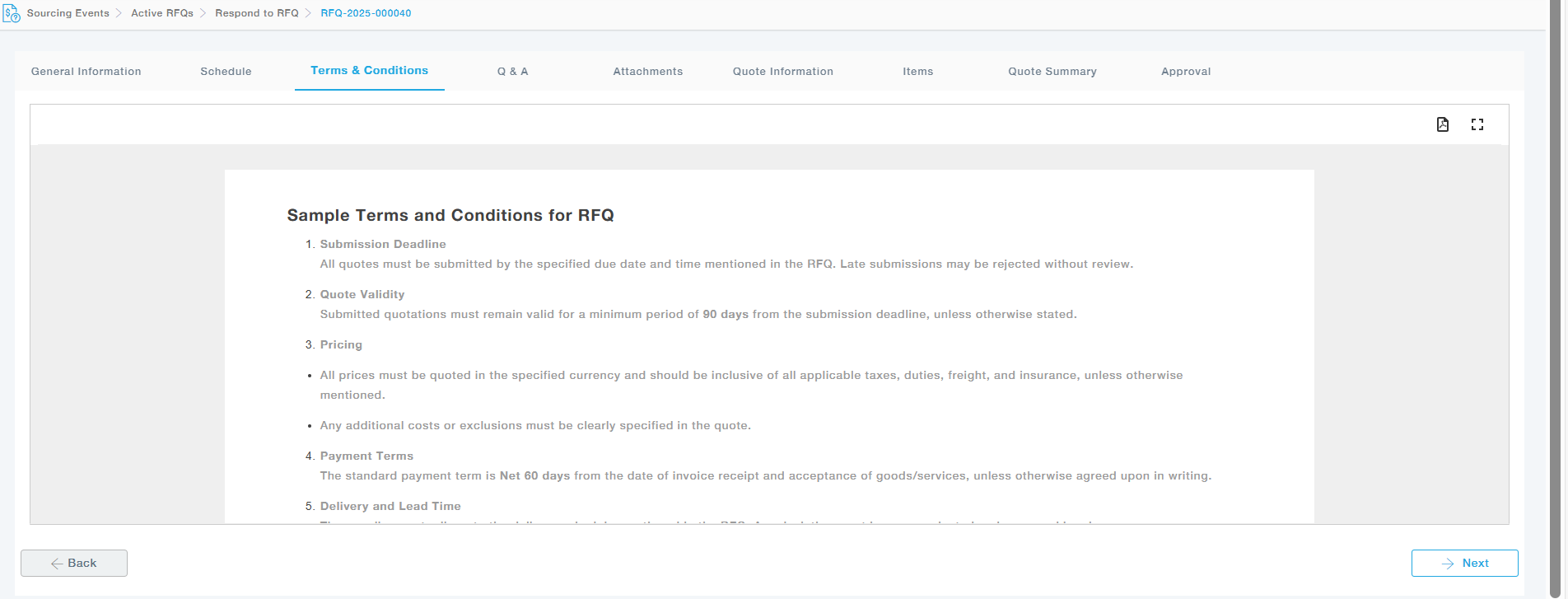
Terms and Conditions – Lists the applicable terms and conditions set by the buyer.
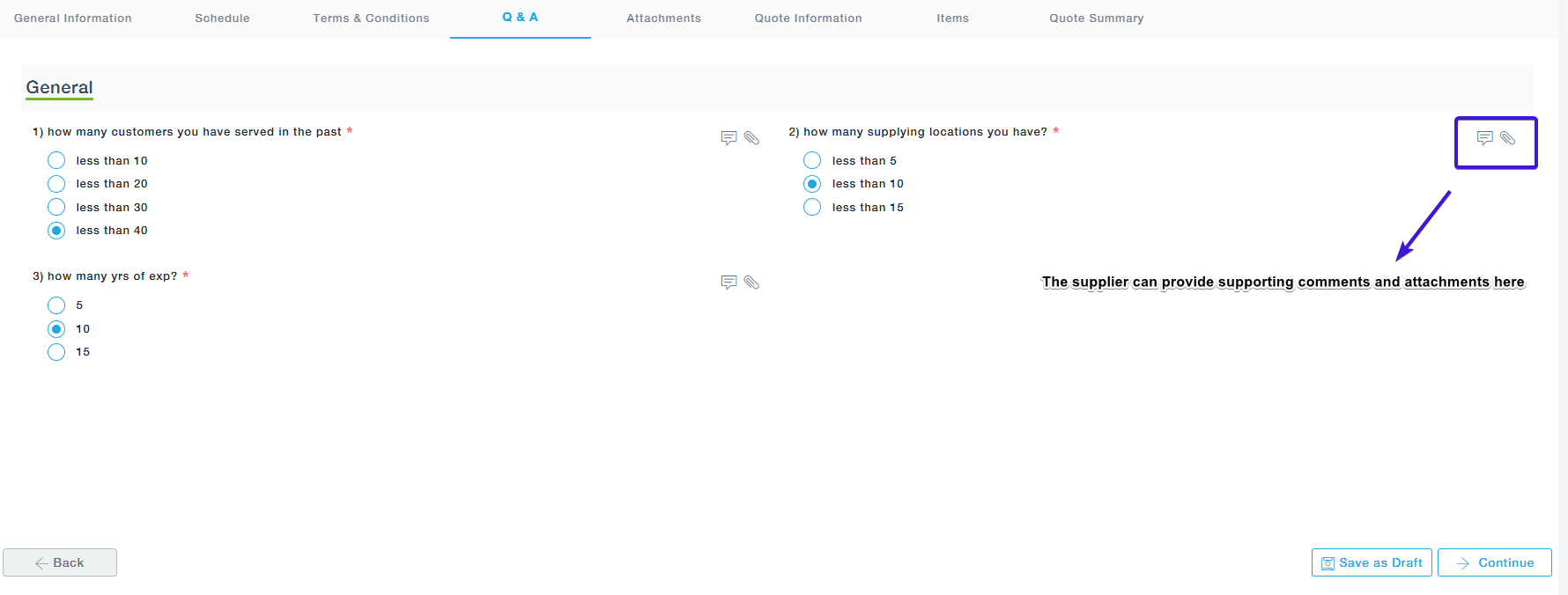
Q&A – Lists buyer questions that require your responses. Some may also need comments or attachments, which can be added using the icons on the right.
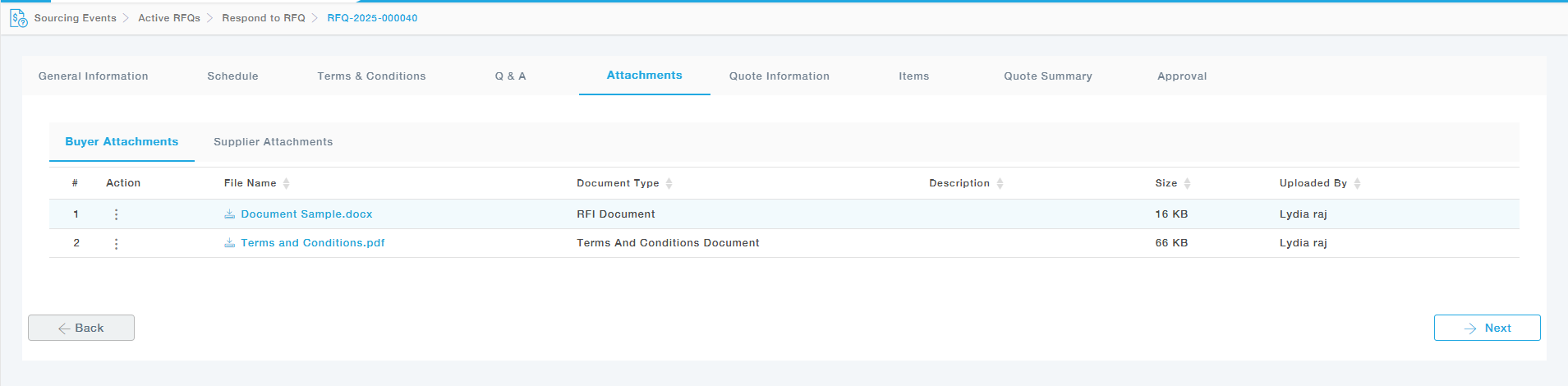
Attachments
Buyer Attachments Tab: The documents attached by buyer will be listed here.
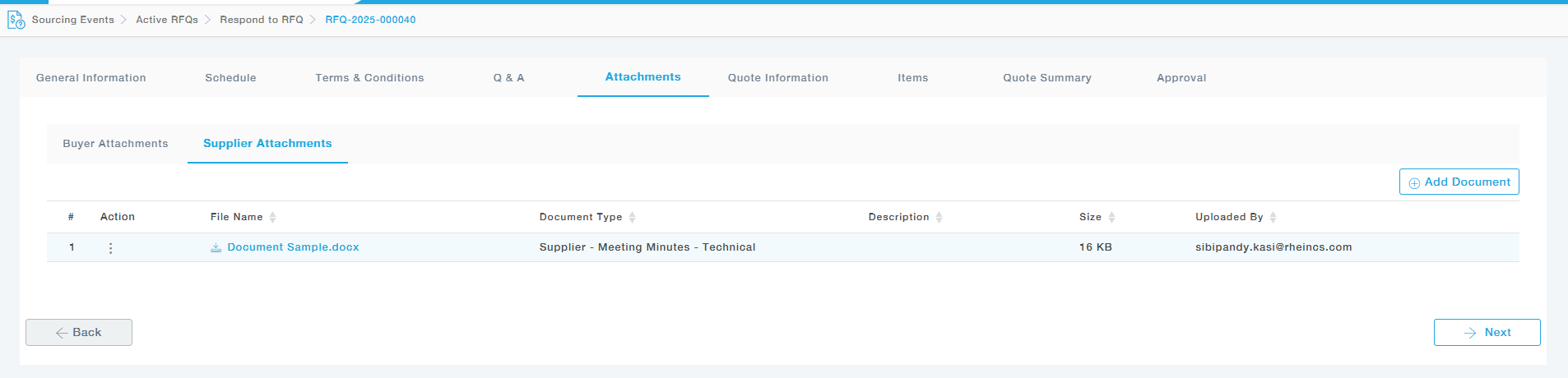
Supplier Attachments Tab: Supplier can attach the supporting document here.
Quote Information – Suppliers must provide high-level details of their quotation in this section
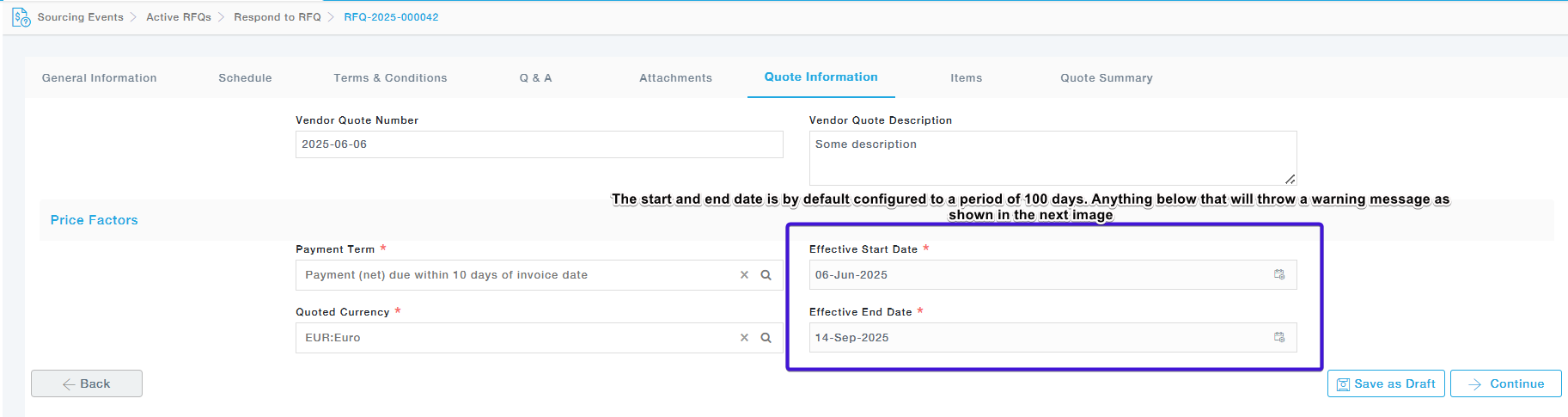
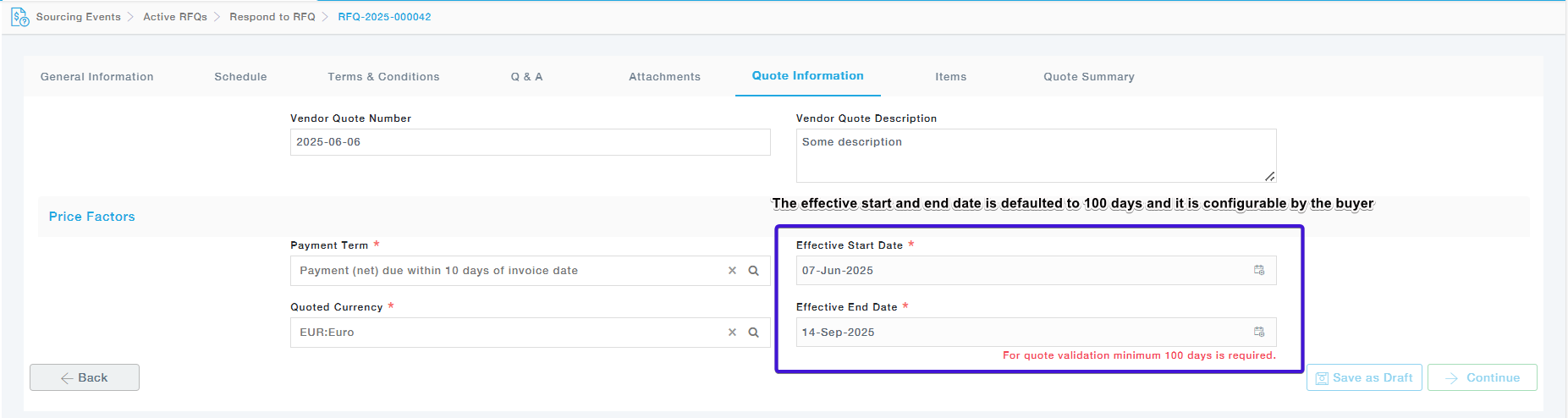
Below is an explanation of each field:
| Field | Description |
| Vendor Quote Number | Enter your internal reference or quote number for this RFQ to track your submission within your system. |
| Vendor Quote Description | Provide a brief summary or any relevant remarks related to your quote. |
| Payment Term | Select the agreed payment term (e.g., “120: 120 days from delivery” means payment is due 120 days post-delivery). |
| Quoted Currency | Choose the currency in which you are quoting. While a preferred currency may be specified, you can select another from the list (e.g., INR: Indian Rupee). |
| Effective Start Date | Specify the date when your quote becomes valid (start of the quote validity period). |
| Effective End Date | Specify the date until which your quote remains valid. After this, it is considered expired unless otherwise agreed. |
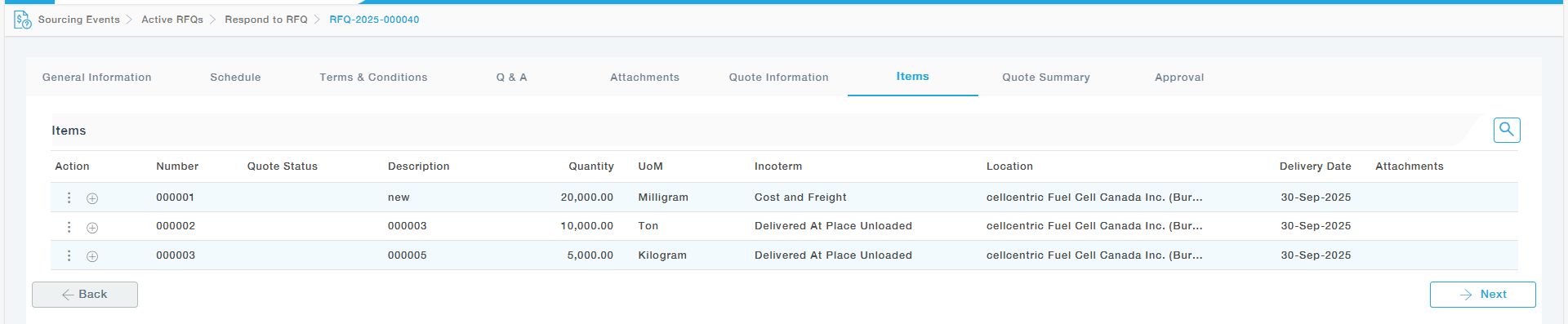
Items– This tab provides the list of Items for which the quote needs to be provided.
Quote Summary – This page is the Item Quote Summary section in the quote submission workflow of the MeRLIN Strategic Sourcing platform. It allows suppliers to review and finalize their item-level quote information before submission. Below is a detailed explanation of each section and field.
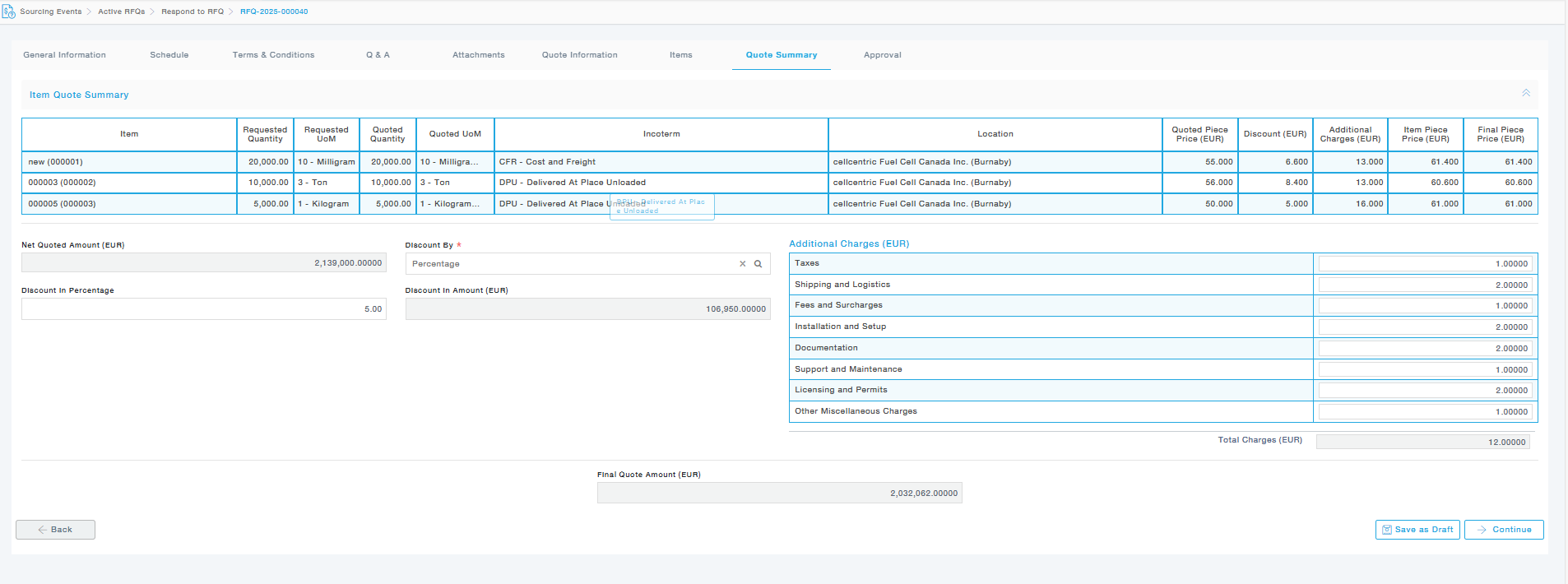
| Fields | Description |
| Item | Item name and code being quoted. |
| Requested Quantity | Quantity requested by the buyer. |
| Requested UoM | Unit of Measure for the request. |
| Quoted Quantity | Quantity offered by the supplier in the quote. |
| Quoted UoM | Unit of Measure in which the quote is submitted. |
| Incoterm | Delivery terms (e.g., CFR, DPU) that define the point at which risk/responsibility transfers from seller to buyer. |
| Location | Delivery address/location (e.g., cellcentric Fuel Cell Canada Inc., Burnaby). |
| Quoted Piece Price (EUR) | Per-unit price quoted by the supplier. |
| Discount (EUR) | Per-unit discount provided by the supplier. |
| Additional Charges (EUR) | Per-unit extra charges applied (detailed on the right panel). |
| Item Piece Price (EUR) | Net per-unit price before applying the final discount: |
| Quoted Price + Additional Charges | |
| Final Piece Price (EUR) | Final per-unit price after applying the discount. |
| Net Quoted Amount (EUR) | Total quoted value before discount. |
| Discount By | The method used to apply discount: Percentage or Amount. |
| Discount in Percentage | The percentage discount applied to the net quoted amount. |
| Discount in Amount (EUR) | The discount value in absolute terms, auto-calculated based on the percentage (in this case, €106,950). |