Login into MeRLIN Supplier portal and navigate to “Auction” under the left side navigation section to view the list of Auctions published for you.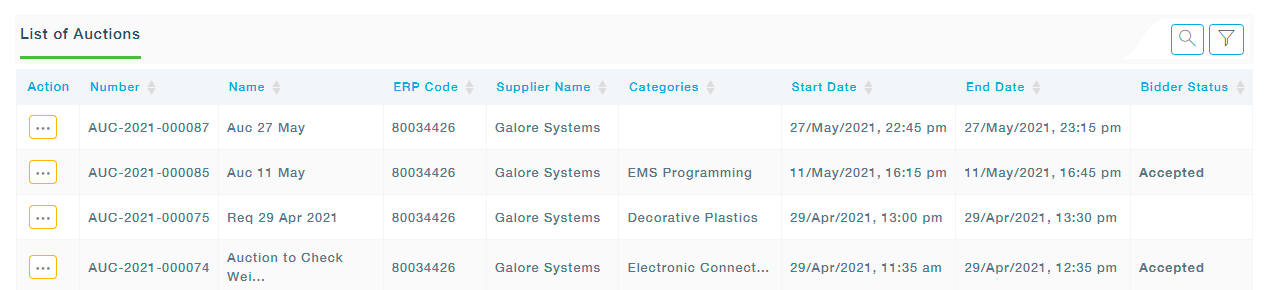
1. Search is made available to help the users easily find the Auction they are looking for by entering some key words of the Auction. Merlin displays all the Auction that matches with the entered word.
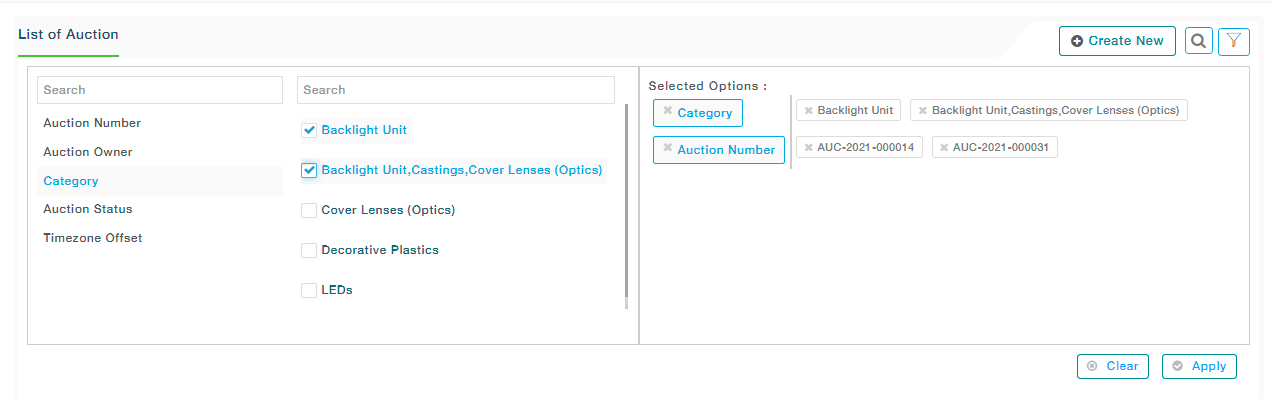
2. Using the advanced filter option in Merlin, one can easily find the Auction based on Auction Number, Category, Supplier Code, Supplier Name, Auction Status, Bid Status, Is Closed- followed by selecting the desired items from the adjacent list. For instance, when the Auction Number is searched, all the Auction Numbers are listed from which one more selection can be made. Similarly, the same procedure can be repeated for other options. A combination of items can also be selected. In such cases, along with items from Auction Number, Status of Auction\Owner of the Auction\Category and\or Time zone Offset can be chosen and then followed by selecting related items from the adjacent list. All the selected Options are then displayed under the Selected Options section. Now click on the Apply button to apply the filter. Click on the cancel button to Cancel the filtering options.