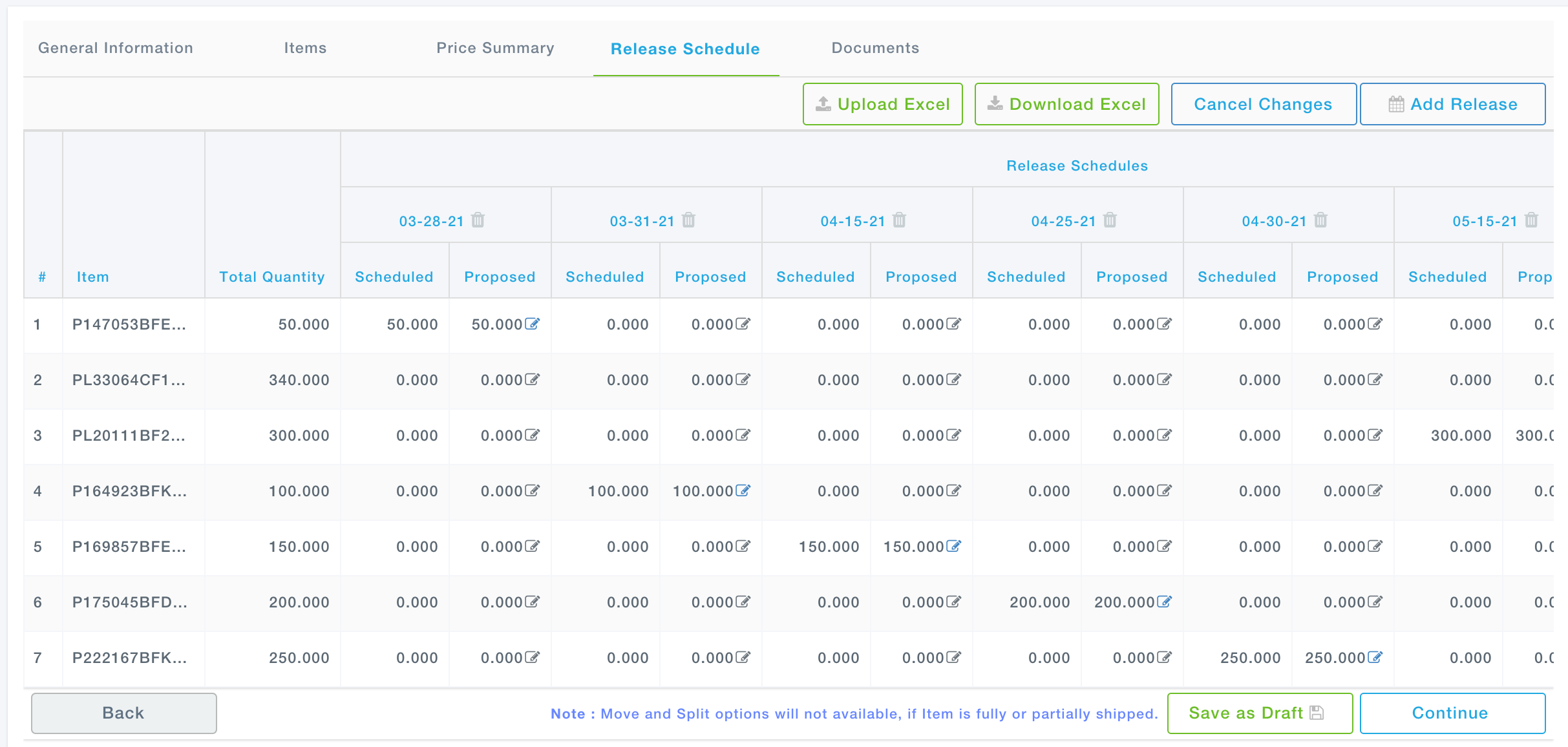
After accepting the Purchase Order, a Supplier may choose to request for changes in the Release Schedule or Release Quantity of one or more Items in the Purchase Order.
Such proposals can include one or more of the following:
- Moving a Release Item from a scheduled date to another date
- Splitting the scheduled Release Quantity of a Release Item between multiple Releases
However, such proposals, cannot include the following:
- Adding a new Item to the Purchase Order
- Reducing or increasing the Total quantity of an Item across all Releases
NOTE:
1) Only one proposal can be ongoing for a Purchase Order any point in time
2) When the Expeditor or Supplier has proposed some changes, the other party cannot propose.
3) Such changes can be proposed only after the Supplier has accepted the Purchase Order
Step 1: From the list of Purchase Orders under the Purchase Orders list, against a Purchase Order, from the Action drop down, click on Propose Changes.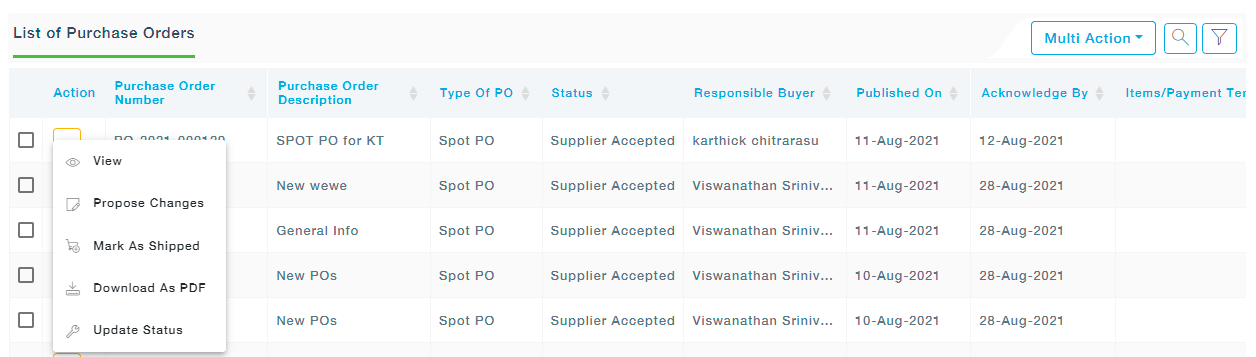
Step 2: MeRLIN displays the Release schedule of the chosen Purchase Order.