
You can Confirm the Payment by clicking on the Confirm Payment Action. The Confirm Payment screen opens as shown.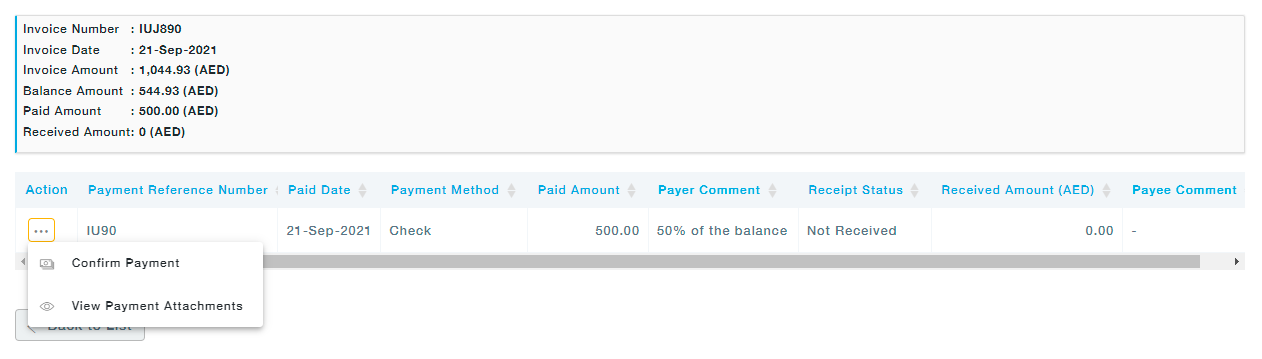 Click on Confirm Payment under the Actions. In the Confirm Payment screen that pops up, received amount is auto populated to the amount paid by the buyer. Choose the received date and Click on the Continue button.
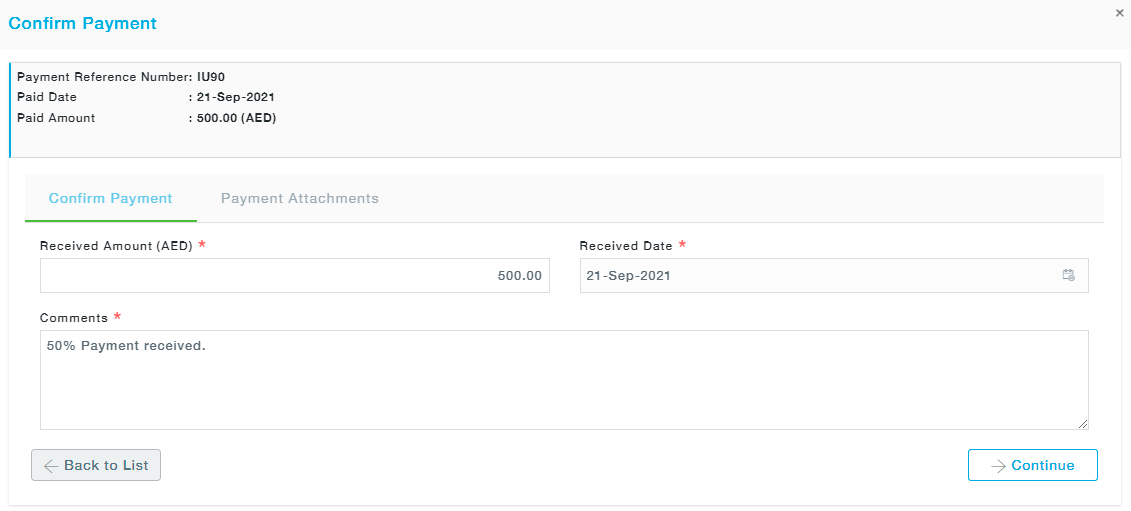 Click on Yes, to confirm the Payment in the Confirmation dialog box that pops up. You are then directed to the Payment Attachment screen, where you can add multiple documents.
Confirm Payment
Written by MeRLIN Help Admin
September 30, 2021
September 30, 2021