
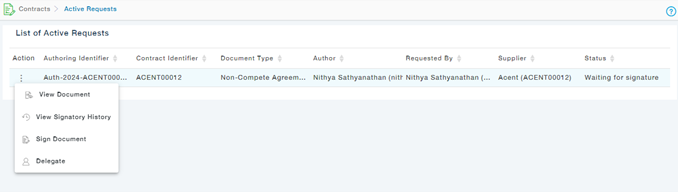
To assign to someone else, choose the Signatory User Type. For Application User, choose the user from the list and Submit the form. If the document needs to be signed by the Non-Application user, provide the use details and submit the form.
Choose Assign to Someone else- Actions of a selected Active Authoring request as shown.
Note: Application users can be assigned to both Application and Non-Application Users, but the Non-Application users can be assigned to only Non-Application Users.