
When the Buyer publishes a new Purchase Order, Supplier receives an automated Email notification indicating the new Purchase Order.
Upon navigating to the Active Purchase Orders sub-menu of Purchase Orders menu, MeRLIN presents the list of active Purchase Orders.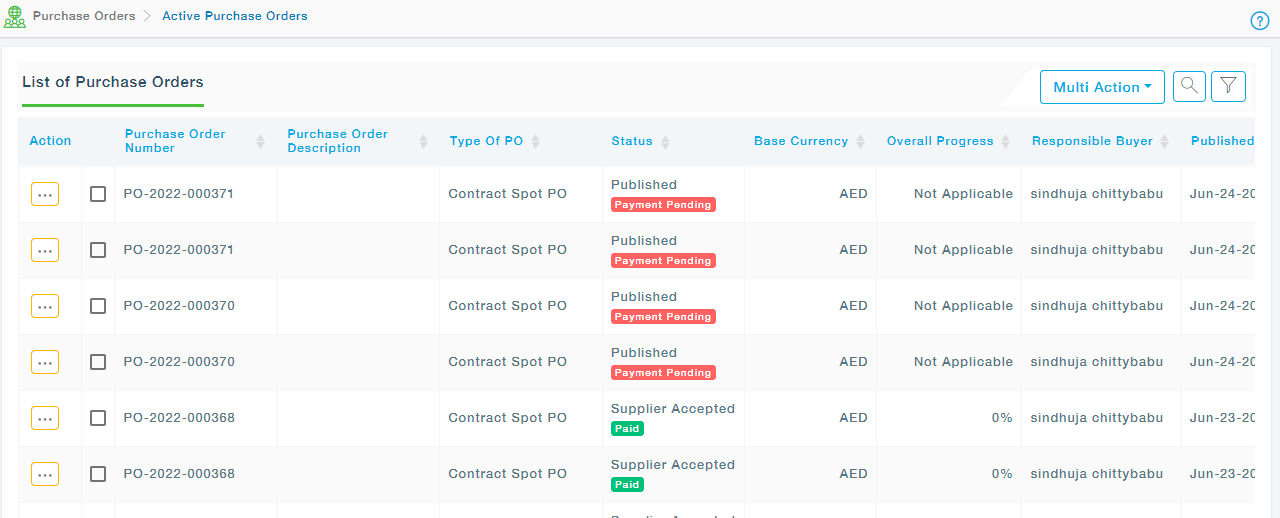
Note: The Payment Pending / Paid will be displayed only if payment gateway is configured for you by the MeRLIN Business Admin at the Buyer end else you will not see these two options under status.
Step 1: From the Action drop down, choose View to view the details of the Purchase Order.
Step 2: MeRLIN presents a tabbed view of the chosen Purchase Order.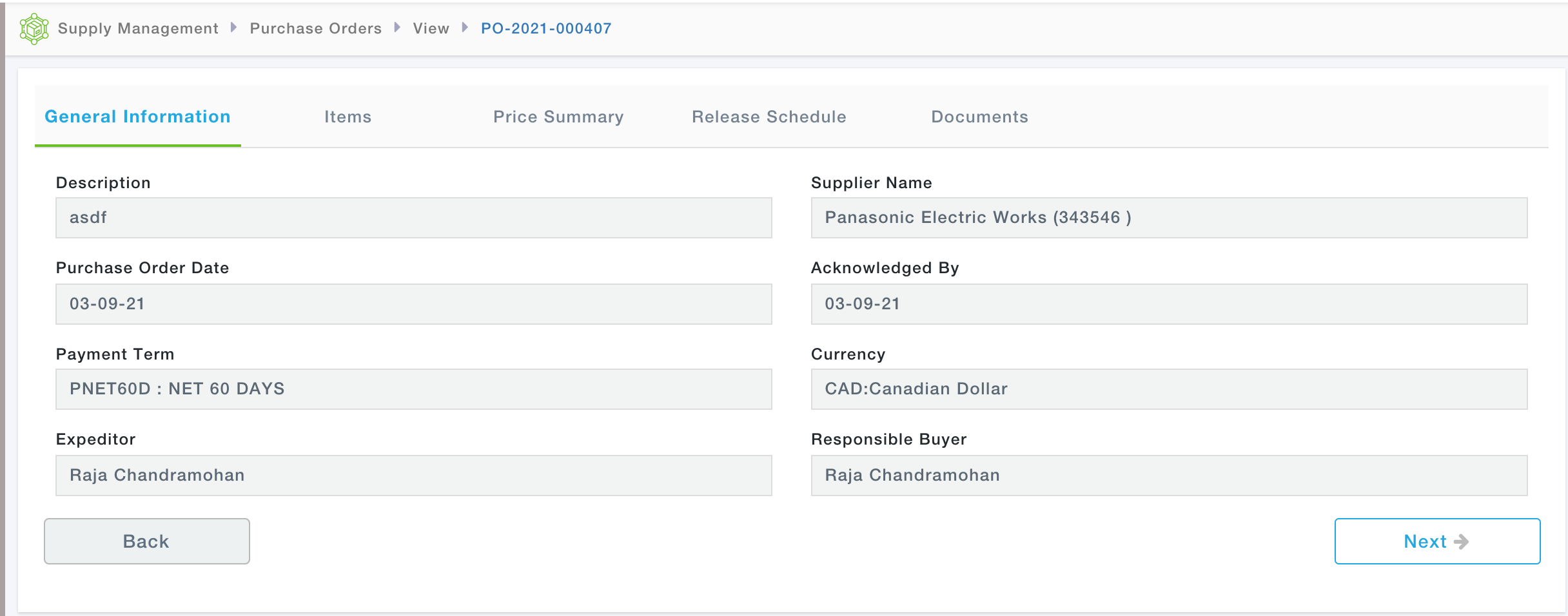
The tabbed view contains the following tabs
- General Information – Header level information about the PO
- Items – List of Items of the PO
- Price Summary – Total price information at the header level of PO
- Release schedule – If the PO Items are required across multiple releases, they can be scheduled here
- Tracking – All the milestones/stages will be displayed here.
- Documents – Any other attachments other than the PO itself
- Status Update History – Tracking of the Supplier milestone modifications